PlatformYard & Gates
Print the gate sign and put it where lorries stop. It carries a QR code. The driver scans it, picks their delivery from the list, confirms their name, registration and trailer number, and they are checked in. No app, no account, and it works in eighteen languages so a Polish or Romanian driver reads it in theirs.
- The driver checks in. They appear as Waiting for a gate, with a clock running against them from the moment they scanned.
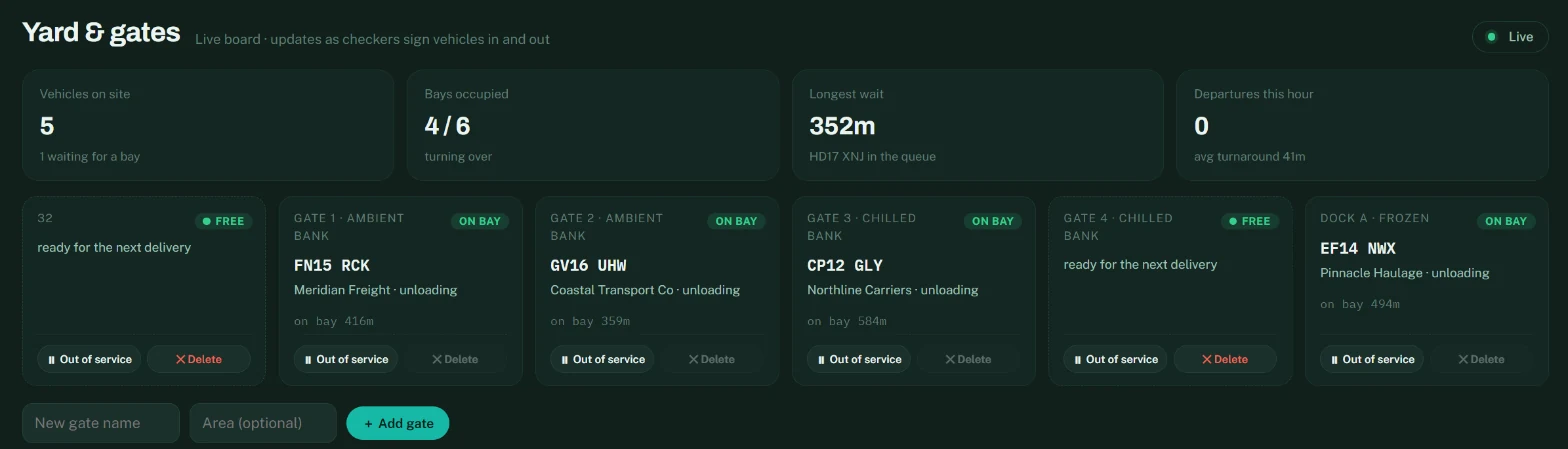
- You send them to a gate. Pick a gate on the booking row, or from the queue on the Yard screen. It appears on the driver’s phone immediately — nobody has to walk out and tell them. Every action on the board updates for everyone within a second; nobody refreshes.
- The load is checked. A checker works through it in the checker app and photographs the paperwork.
- The office releases them. Until someone releases the driver, the record says they are still on site. If there is a discrepancy between what was declared and what came off, the release is held until someone in the office looks at it.
Yard & gates
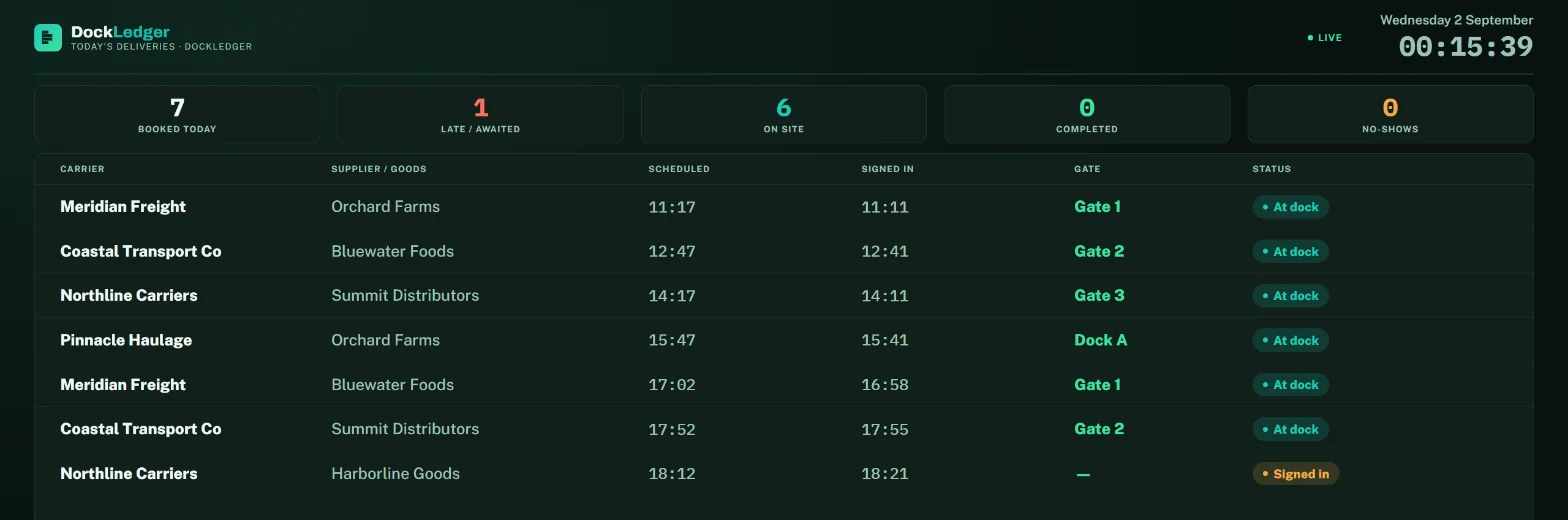
The same picture goes on a TV in the transport office with the wallboard: today’s deliveries, who is at which dock and who is late, refreshing itself. It is read-only and signs in once, so it can stay on all day.
Wallboard
Why the waiting clock matters
The gap between check-in and gate assignment is the number that ends up in a demurrage argument. DockLedger records it whether or not anyone was watching, which is the whole point of it being automatic.