Carrier & supplier portal moduleContacts
Each carrier and each supplier gets one private link. Send it to their office and they can do their own admin without ringing you and without an account. The link is the credential, so treat it like one — only owners and managers can see or copy it.
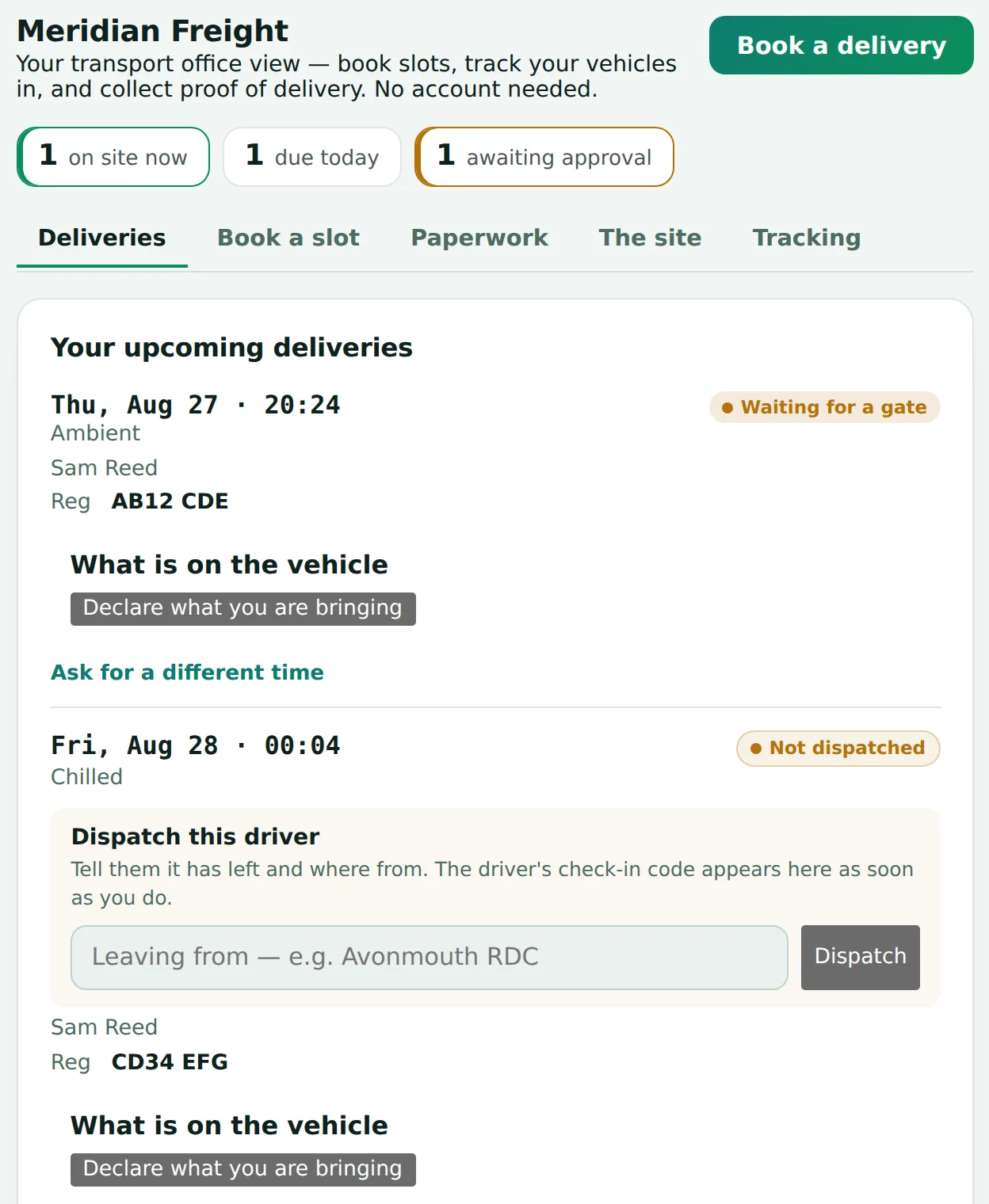
The two links look the same and do the same things, but they show different deliveries. A carrier sees the deliveries it is carrying. A supplier sees the deliveries its goods are on, whoever is driving them. Neither can see the other’s. That is decided on the server from the link itself, not by anything the page does, so it holds however the link is used.
From the portal either of them can:
- See every delivery of theirs — due, on site, or finished — and its live status.
- Say the load has left, and where from.
- Propose a new slot against your published availability, for you to approve.
- Declare what is on the vehicle before it arrives.
- Dispatch a driver, which produces the driver's check-in code.
- Collect proof of delivery once the load is done.
- Share vehicle location, if they choose to.
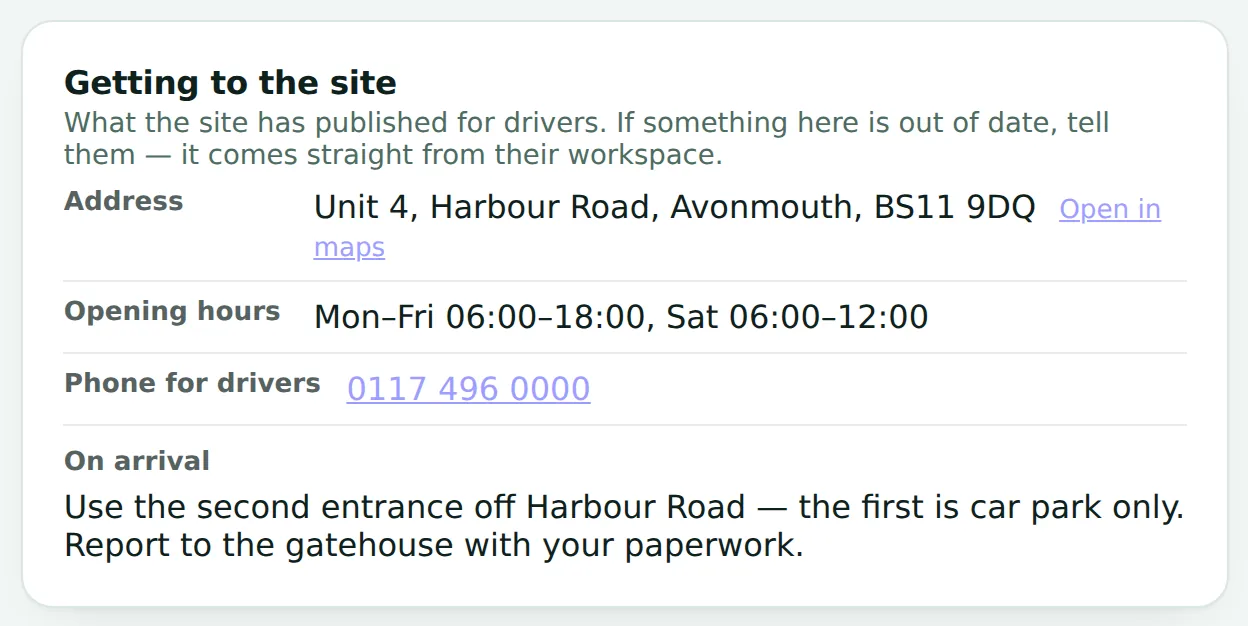
The address, hours, phone number and arrival notes shown there come from Site & arrival → What carriers need to know in your console. Change them once and every portal shows the change.
One vehicle, several suppliers
The portal is in eight languages — English, Polish, Romanian, Spanish, German, French, Dutch and Italian. The driver check-in is in eighteen: those eight plus Portuguese, Russian, Lithuanian, Latvian, Bulgarian, Hungarian, Czech, Slovak, Ukrainian and Turkish.