Meat traceability moduleTraceability
A cutting plant has to answer one question fast: this pack on the shelf — which animal batch did it come from, and where did the rest of that batch go? DockLedger keeps that chain as things happen rather than reconstructing it afterwards. A batch comes in with its origin declared, every case gets its own label, every cut or mince is recorded as a transformation, and every finished pack carries the batch forward.
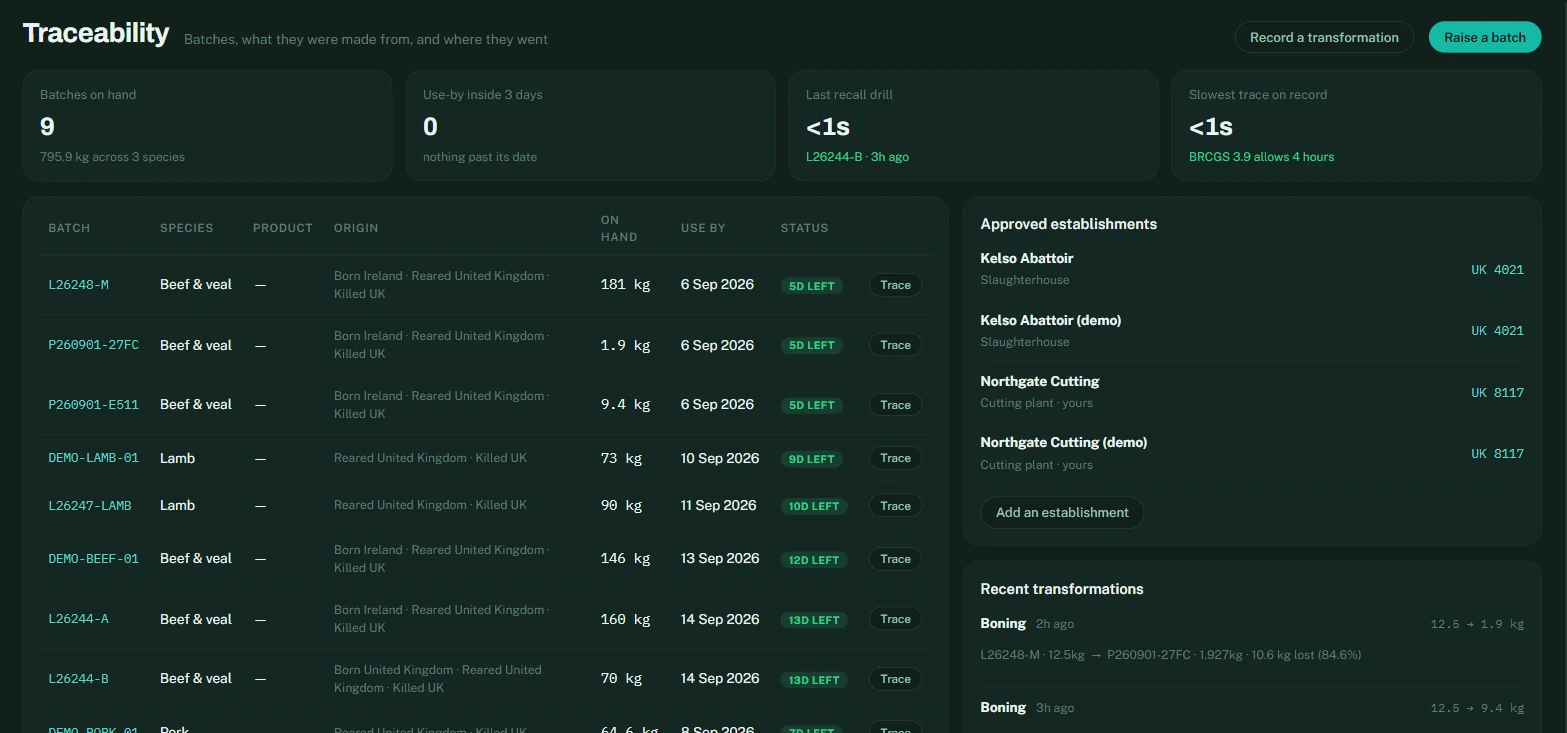
Raising a batch
- One species, one batch. Beef, lamb or pork — never mixed. Beef is checked against the three-plant limit; minced beef must come from a single origin. The form refuses anything that would not pass an audit.
- Origin is three declarations — born, reared, slaughtered — plus the slaughterhouse and its approval number. They print on every label from that batch, so they are worth getting right once.
- Approved establishments are kept once, under the batch list: your own cutting plant and the abattoirs you buy from, each with its UK approval number.
Cases at goods-in
When a batch arrives, the checker labels it: scan the supplier’s GS1 barcode if there is one, pick the batch (or several, when a box carries two or three tracing codes), type the weight of each case, and print. Every case gets a DockLedger code that the butchery app and the bench station scan later. Cases with different weights are the normal case, not the exception.
Where it came from
A batch carries its supplier and the batch reference printed on the supplier’s own label. That is the step back that Article 18 asks for, and it is the line an auditor reads first on a trace sheet: not just who you sold it to, but who sold it to you, and under what number in their system.
Sending it out
Despatch happens at the bay, so it happens on a phone. The loader opens /load, taps the customer, and scans each box as it goes on the vehicle. The running count and weight stay on screen, and nothing is sent to DockLedger until the load is complete — so a load can be built, corrected and rebuilt without leaving a half-finished despatch behind.
A box that must not leave stops the loader there, at the tailgate, and says why: already despatched to someone else, out of date, cut down in butchery, or from a batch on hold. That is the point of holding stock rather than emailing about it.
Holding and recalling a batch
Press Hold on any batch and say why — the reason is compulsory, because it goes on the batch’s event trail with your name against it. From that moment the batch cannot be despatched and cannot be cut: both doors are shut in the database, not just greyed out in the app. Tick confirmed recall when it is a real recall rather than a precaution, and the batch is marked as such everywhere it appears. Office staff can hold; only an owner or manager can release, because deciding stock is safe again is a different kind of decision from stopping it.
Recall drills
Press Run drill on any batch, or from a live recall on the Recalls map, and DockLedger walks the chain both ways — back to the animals it came from, forward to every pack made from it — and times itself doing it. The result is a printable report with a mass balance: what came in, what went out, what was lost to trim, and whether the numbers reconcile.
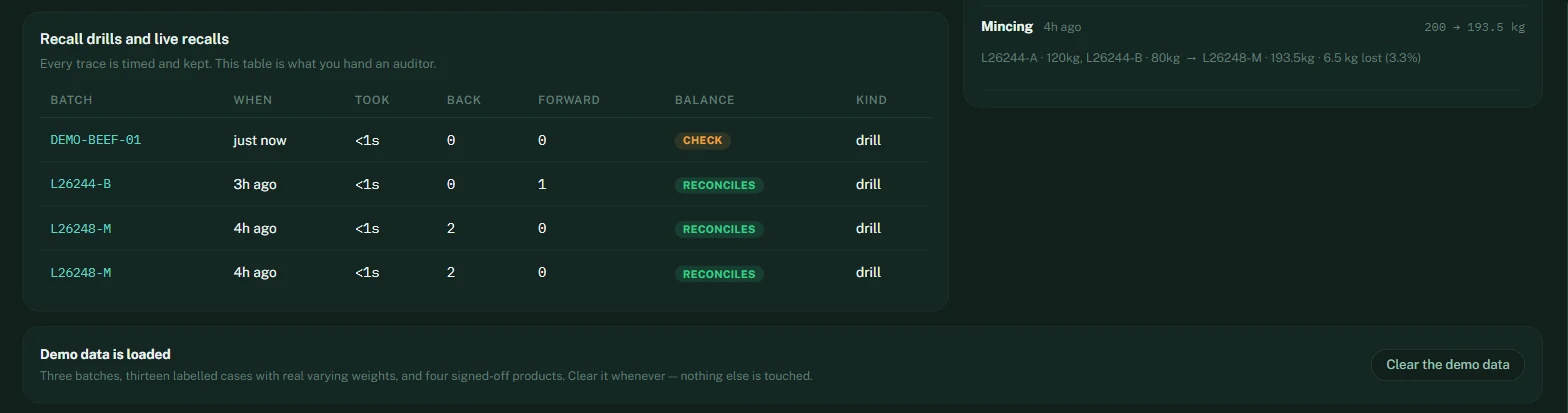
Run a drill every month