Meat traceability modulestation.html · £89 per bench
The bench station is the factory-floor version of the butchery app: a touch screen with a USB barcode scanner and a serial scale, doing the job an OSM terminal does. Scan the box, tap the product, then put each pack on the scale — when the weight settles, that pack’s label prints with its exact weight and the scale clears for the next one. Every pack is weighed individually; nothing is averaged.
Bench station
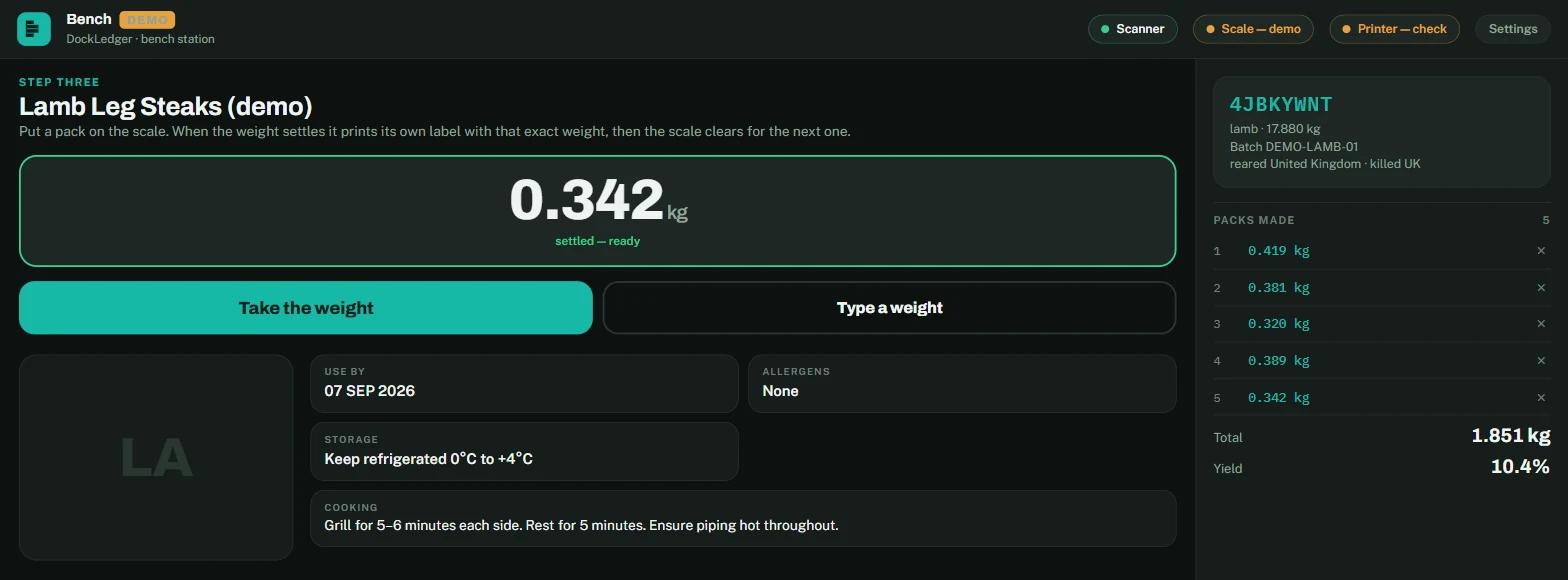
Connecting the kit
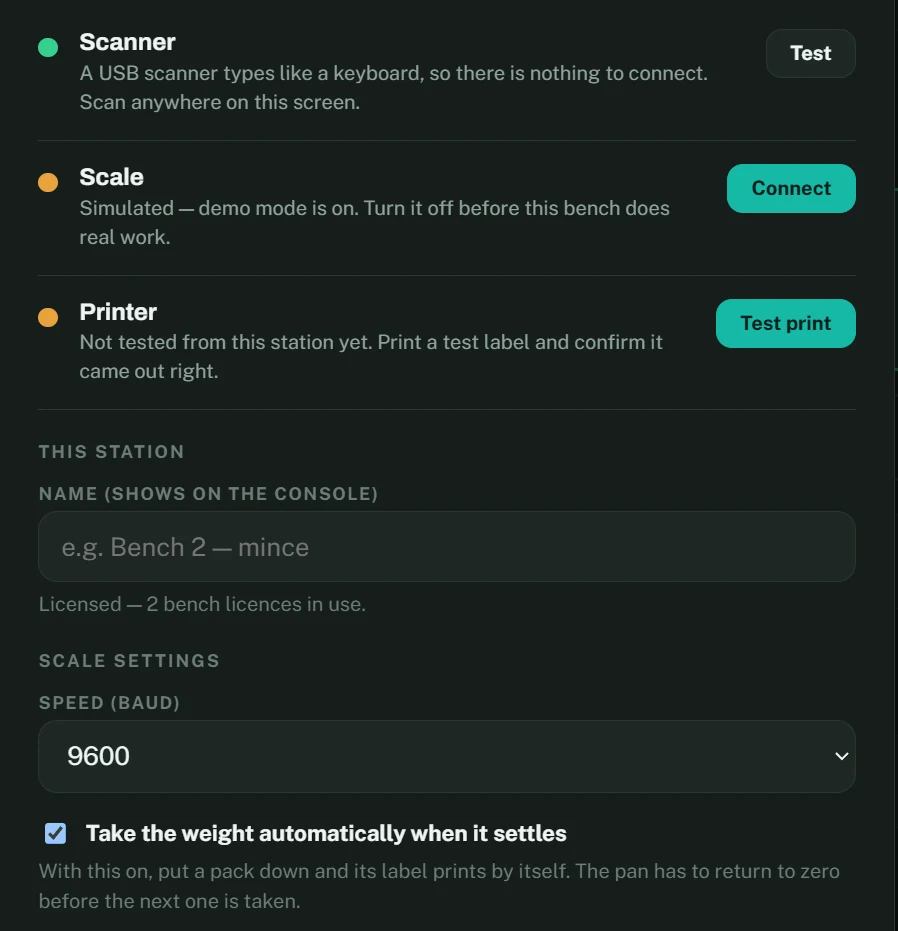
- Scanner. A USB scanner types like a keyboard, so there is nothing to connect. Scan anywhere on the screen.
- Scale. Connect it once from Settings — Chrome asks which serial port. A&D, Mettler and most bench scales that talk over USB or RS-232 are understood; the baud rate is in the same panel.
- Printer. A browser cannot see a printer, so the station asks you to print a test label and confirm it came out. Until then the printer chip stays amber, honestly.
- Demo mode pretends there is a scale, so the whole flow can be shown on any laptop. The screen is badged so nobody mistakes it for the real bench.
Station settings
Licences are per bench, not per person
Each station registers itself the first time it signs in and takes one bench licence. Owners see every registered bench on Plan & billing and can switch one off to free its licence for another. A bench that has not been used for 30 days stops counting on its own.